Now with Multi-Session Support

ClicoClicker Banner

Click Automation,
Reimagined

A powerful auto clicker with multiple concurrent sessions, 13 themes, and human-like click patterns. Built for gaming, testing, and automation.
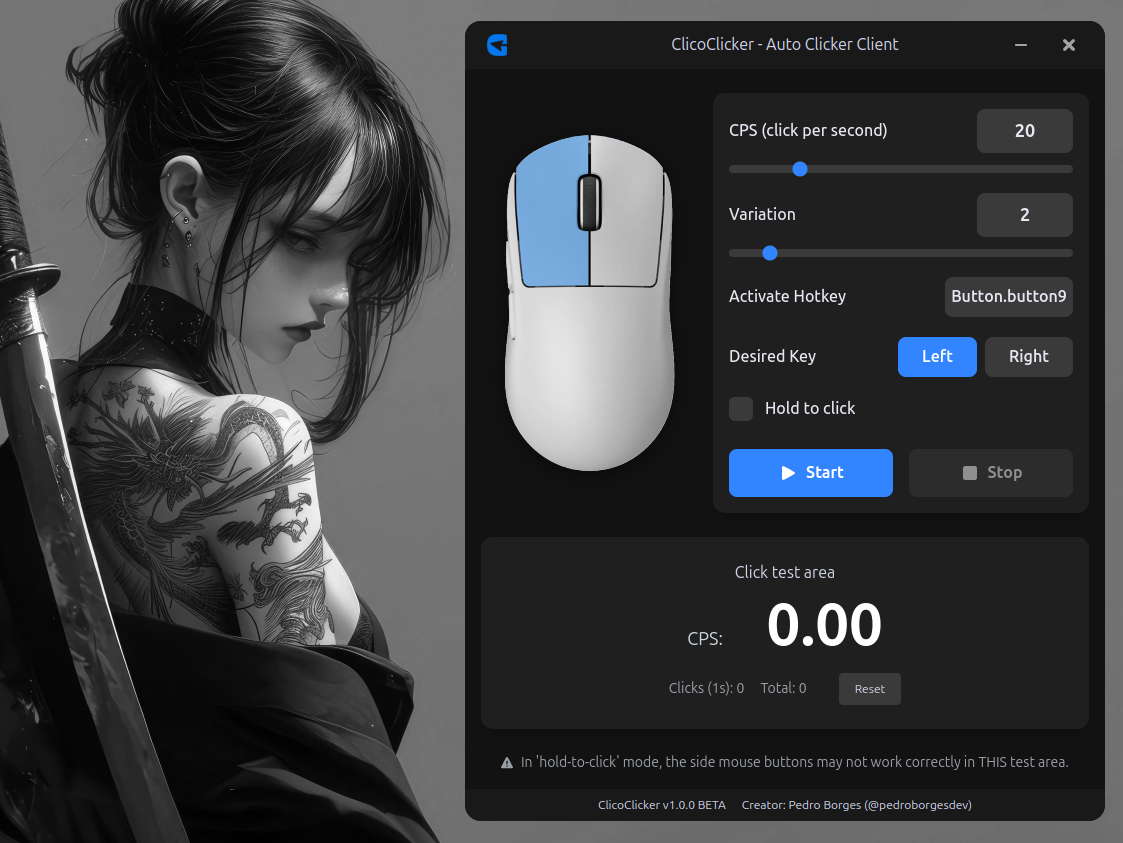
ClicoClicker Interface

Two Modes. Full Control.

Switch between Auto Clicker and Burst Clicker modes, each with independent settings per session.

Auto Clicker

Continuous clicking with adjustable CPS, Gaussian variation, and hotkey toggle/hold modes.

Burst Clicker

Multiplies each real click into configurable extra clicks with precise delay control.

Custom Hotkeys

Assign any keyboard or mouse button as your activation trigger.

New Feature

Multiple Concurrent Sessions

Run up to 5 independent clicker sessions simultaneously. Each session has its own mode, CPS, hotkey, and settings — all running in parallel.

Session Sidebar

1
2
3
+

Right-click to delete

Independent Execution

Each session spawns its own process. Start and stop sessions independently.

Per-Session Settings

Each session stores its own CPS, variation, hotkey, mode, and mouse button.

Persistent Config

All session configurations are saved and restored between app restarts.

Up to 5 Sessions

Create, switch, and manage up to 5 concurrent clicker sessions from the sidebar.

New Feature

Burst Clicker Mode

Multiply every real click into a burst of extra clicks. Perfect for rapid actions that require multiple clicks per input.

Burst Preview

1 6 clicks
Extra Clicks 5
150
Delay 10ms
0100ms
Left
Right

Click Multiplication

Each real click triggers 1–50 extra clicks automatically.

Configurable Delay

Set 0–100ms delay between burst clicks for natural timing.

Left or Right Button

Choose which mouse button to listen and burst on.

Smart Injection

Artificial clicks are flagged to avoid conflicts with Auto Clicker sessions.

13 Handcrafted Themes

Personalize your experience with carefully designed color themes.

Ocean · Crimson · Emerald · Violet · Amber · Sky · Lime · Rose · Slate · Teal · Indigo · Gold · Carbon

Key Features

Everything you need for precise click automation.

CPS Control

1–100 CPS with Gaussian variation for natural, human-like click patterns.

Multi-Session

Run up to 5 concurrent sessions with independent configs and processes.

Burst Clicker

Multiply each real click into up to 50 extra clicks with configurable delay.

Hold-to-Click

Toggle mode or hold-to-click — you decide how it activates.

13 Themes

From Ocean to Carbon — every accent, gradient, and UI element adapts.

Cross-Platform

Native installers for Windows (.exe) and Linux (.deb).

Open Source

MIT licensed. Built with Electron, React, TypeScript, and Python.

Why ClicoClicker?

High Performance

Optimized Python scripts with minimal overhead.

Millisecond Precision

Accurate timing for perfect click intervals.

Secure & Transparent

Open source, no telemetry, no hidden code.

Game Ready

Natural Gaussian variation avoids detection patterns.

Built with Modern Tech

Electron

Electron

React

React

TypeScript

TypeScript

Python

Python

Quick Start

1

Download & Install

Grab the installer for your platform. Setup is fully automatic.

2

Create Sessions

Use the sidebar to add up to 5 sessions. Configure CPS, mode, and hotkeys for each.

3

Start Clicking

Hit start or press your hotkey. Run multiple sessions concurrently.

Download ClicoClicker

Free, open source, no account required.

Windows

Windows 10 or later

Download .exe

v1.0.0 · 64-bit

Linux

Debian-based distributions

Download .deb

v1.0.0 · amd64

Verified Safe

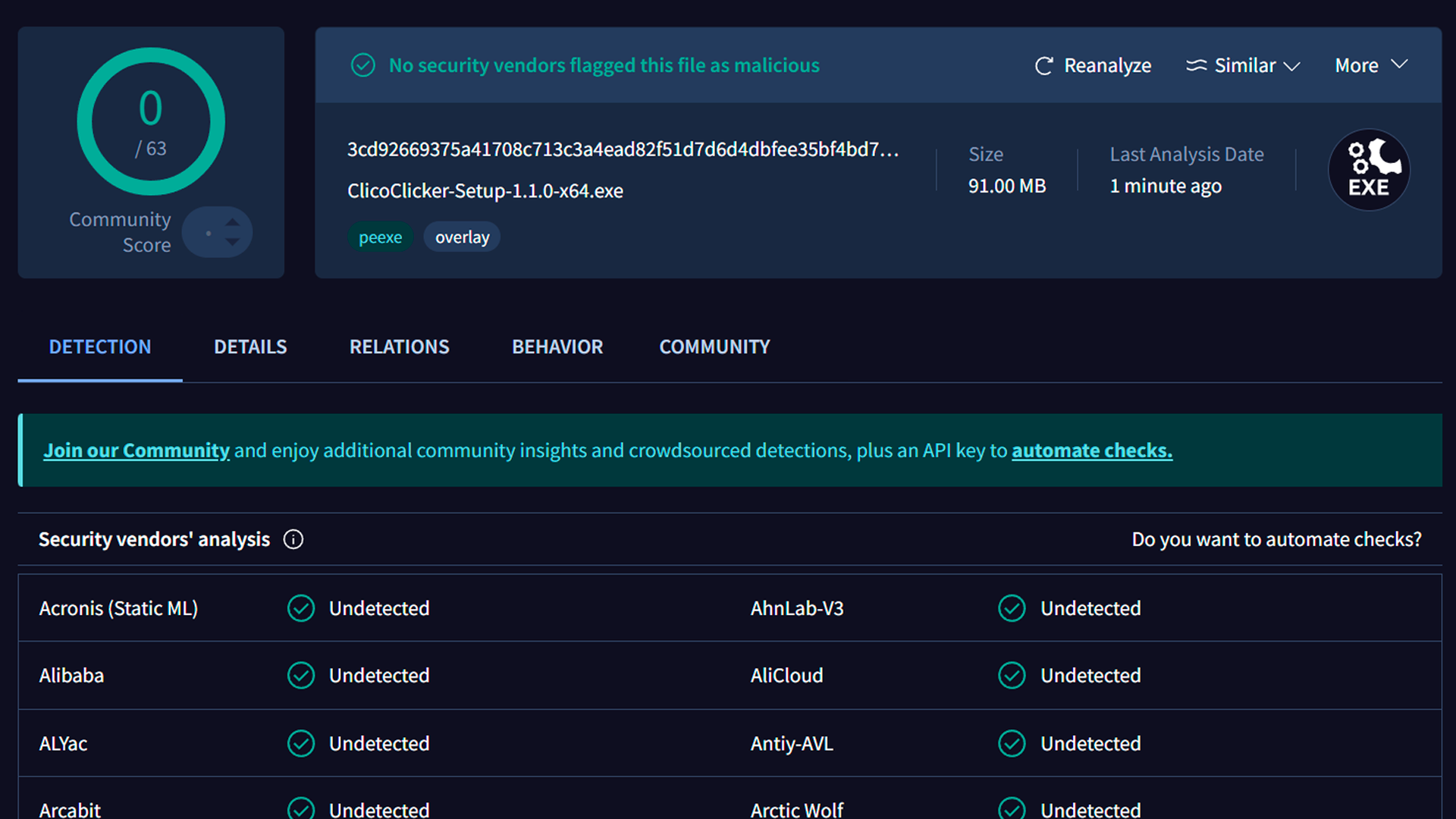
ClicoClicker is open source and scanned by 63 security vendors on VirusTotal. Zero detections.

VirusTotal scan results — 0/63 detections

0/63 security vendors flagged this file as malicious

FAQ

Is ClicoClicker free?

Yes, completely free and open source under the MIT license.

How many sessions can I run?

Up to 5 concurrent sessions, each with independent settings and processes.

How do I install on Linux?

Download the .deb and run:

sudo dpkg -i ClicoClicker-1.0.0-amd64.deb

Can I contribute?

Absolutely! Check the GitHub repository to submit issues or pull requests.